Technology
Siemens S7 PLC data collection: S7-1200, S7-1500, S7-300 and S7-400
We read production data from your Siemens PLCs without changing the PLC program and deliver it to MES, OEE, ERP and reporting systems.
Our clients
- Siemens

- Anadolu Isuzu

- BSH
- Tofaş

- Toyotetsu

- Martur

- Turkcell

- Vodafone

- Doğadan

- Pakmaya

- Bross

- Abdi İbrahim

- Nobel İlaç

- Plastimak

- Dalgıç Kalıp

- Barbaros Motor

- Magneti Marelli

- Rözmaş

- Sanel

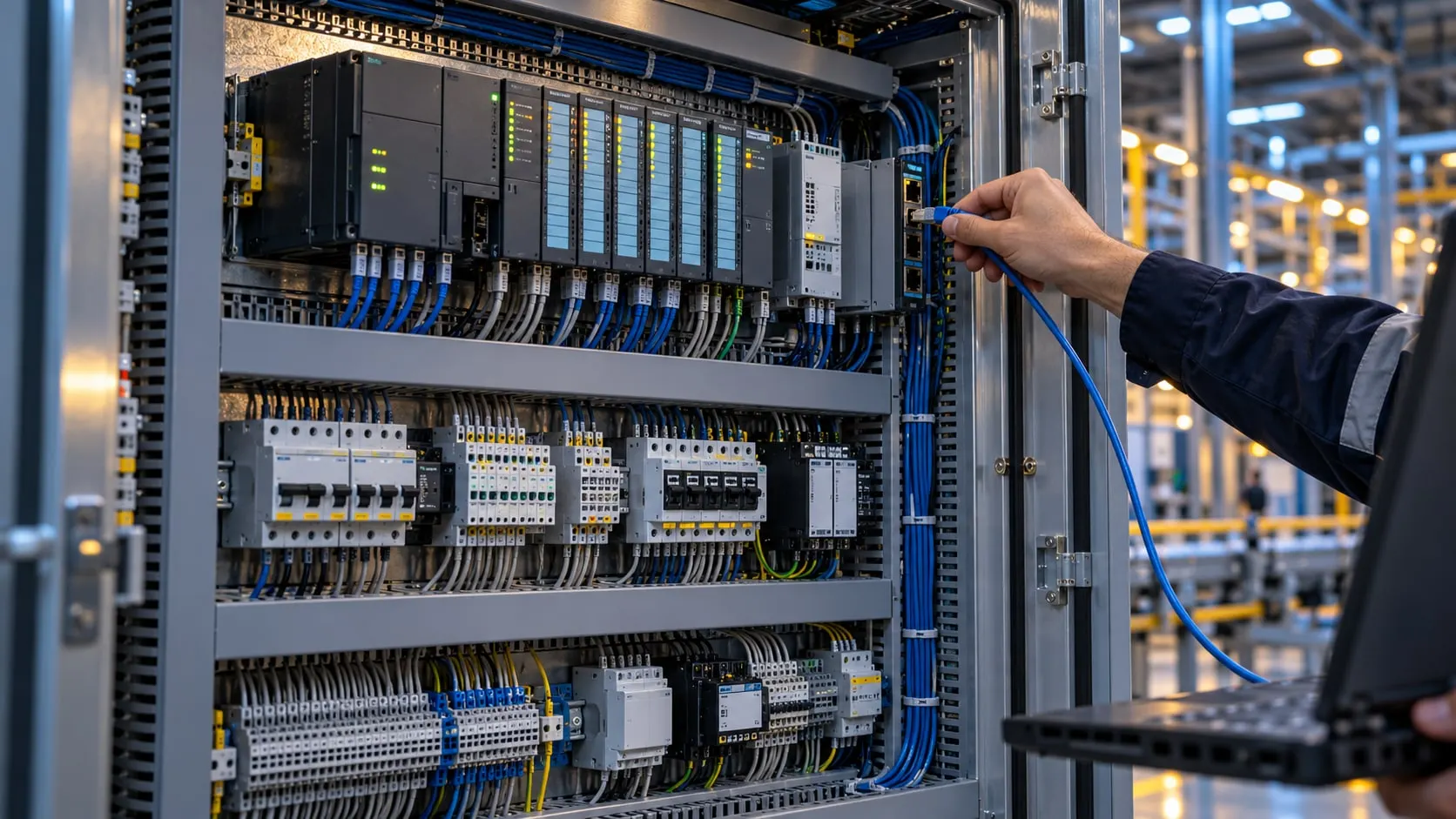
Siemens S7 PLC data collection means reading a machine's counters, states and process values over the network without touching the PLC's control logic. The S7-1200 and S7-1500 are the families we meet most often; older lines still run S7-300, S7-400, S7-200 and S7-200 Smart CPUs.
VOLSOFT is a software and integration engineering firm, not an automation contractor: we do not program PLCs. We build the data layer above them. Together with the plant's automation team we agree which values are read, from which data block and address, and how often, then commission the reading on Proxus.
On the S7-1200 and S7-1500 there are two routes. S7comm (ISO-on-TCP, port 102) reads directly, but needs PUT/GET access allowed in the CPU and optimized block access turned off on the data blocks being read. The alternative is the CPU's OPC UA server, enabled in TIA Portal: optimized blocks stay as they are, and the automation side decides which variables the server exposes.
What we deliver
Siemens S7 PLC data collection
-
Direct S7comm reading
We connect to S7-200, S7-200 Smart, S7-300, S7-400, S7-1200 and S7-1500 CPUs on port 102. Rack and slot are set per CPU family, and the connection test also reads the CPU's order number.
-
TIA Portal OPC UA server
When the OPC UA server is enabled on an S7-1200 or S7-1500, we read through the OPC UA driver instead. It is our preferred route when turning off optimized block access is not acceptable.
-
PUT/GET and optimized blocks
The PUT/GET permission and non-optimized data blocks that S7comm needs are changes to the PLC project. We do not make them: we specify them in writing and plan them with the plant's automation team or PLC integrator.
-
Data types and tag lists
We read Siemens data types such as BOOL, INT, DINT, REAL, WORD and STRING with the right length and byte order. Every value is listed with its data block number and offset in one tag list.
-
Read-only, segmented network
By default we only read. If a write is needed, the address and who approves it are defined separately. The edge server sits in the OT network and connects out to the central server, so no inbound port is opened into OT.
How a project runs
From discovery to live, step by step
- 01
PLC inventory
We list CPU models, firmware versions and IP addresses on the line, and who holds the current TIA Portal or STEP 7 projects.
- 02
Choose the route
For each PLC we choose S7comm or OPC UA with the automation team and send the required PLC settings in writing.
- 03
Tag list
Counters, states, alarms and process values are listed with data block address, data type and read interval, and placed in the shared data model.
- 04
Commission and verify
We start reading on a Proxus edge gateway and check the values against the HMI or SCADA before anything downstream uses them.
Built on Proxus
Proxus's Siemens driver does the reading. It runs on the edge gateway in the plant network, with no separate OPC server in between. Values flow into the Unified Namespace and on to MES, OEE, ERP and databases.
Proxus is the industrial data platform built by the VOLSOFT team.
Frequently asked questions
Common questions
How do you collect data from a Siemens PLC?
Over Ethernet, either with the S7comm protocol or through the OPC UA server on S7-1200 and S7-1500 CPUs. S7comm needs PUT/GET access and non-optimized data blocks; OPC UA needs the server enabled in TIA Portal and the variables published.
Should we use OPC UA or S7comm on an S7-1500?
If optimized block access must stay on, OPC UA is the cleaner route. If the firmware or licensing does not allow OPC UA, or the PLC project can be changed, direct S7comm works well. We decide per PLC from the inventory.
Do you change the PLC program to collect data?
No. We do not touch the PLC program or its control logic. Settings such as PUT/GET access live in the PLC project; we specify them and plan them with the plant's automation team.
How are Siemens S7 data types handled?
Each tag is defined by data block number, offset and data type. BOOL, INT, DINT, REAL and STRING values are read with the PLC's length and byte order, so they match what the HMI shows.
Can you read older S7-300 and S7-200 PLCs?
Yes. S7-300, S7-400, S7-200 and S7-200 Smart CPUs with an Ethernet connection are read with the same driver. Which CPU uses which route is settled during the site survey.
Related pages
Often looked at together
- Service Machine Data Collection Read-only production data collection from PLCs, CNCs and robots, with control logic left untouched. Explore →
- Solution OEE Software OEE software fed by PLC and CNC data, with downtime reasons, work orders and ERP sync. Explore →
- Solution Downtime Tracking Automatic stop detection, reason codes, Pareto analysis and MTBF/MTTR reporting. Explore →
- Industry Automotive Data collection on press, welding and assembly lines, IATF 16949 traceability and OEE. Explore →
- Service Edge Computing Processing close to the machine, buffering through outages and rules that run on site. Explore →

Next step
Let’s turn your goal into a clear engineering scope.
Tell us about your plant, your machines and your goal. An integration engineer will set up a discovery call with you.